Clean your Mac. Change your mind.
Most cleaners delete for good. NovaClean sets what it cleans aside for 7 days first, so a cache you needed or a folder you weren't sure about is one click from coming back. Then the space frees by itself.
Set Aside · 6.2 GB
Cleaned today. It waits in Set Aside, then frees by itself on day 8.


It tells you what's really there.
Check-up looks through caches, projects, simulators, AI models and leftovers, and says what each thing is, whether it comes back by itself, and what clearing it costs. Safe items are ticked for you. Your own files never are.
What Check-up found
A real Check-up of this page's Mac, 14 October 2026
- iPhone 17 Pro Max simulatorNO UNDO3.59 GBUnused 203 days · Xcode can make a new one
- edge-builder/node_modules1.17 GBProject untouched 147 days · npm install brings it back
- npx downloads1.19 GBTools download again when needed
- Claude app · cache850.7 MBThe Claude app rebuilds it
- Claude Code 2.1.23182.3 MBAn old version · 2.1.296 is the one in use
The safe part is ticked for you. The rest is explained, item by item, for you to decide.
Everything your Mac needs looking after.
Free, and not a trial. One app instead of a cleaner, a monitor, an uninstaller and an updater.
- Check-up
- Developer caches, old simulators, stale node_modules, AI models, app caches, leftovers of removed apps, logs and the Trash, each explained in plain words.
- AI coding tools
- Old Claude Code versions, the Claude app's caches, older copies of editor extensions, and Claude Code worktrees nobody has touched in a month.
- Storage
- What "System Data" actually is: Time Machine snapshots, simulators, swap, backups and caches, with how much macOS will free by itself.
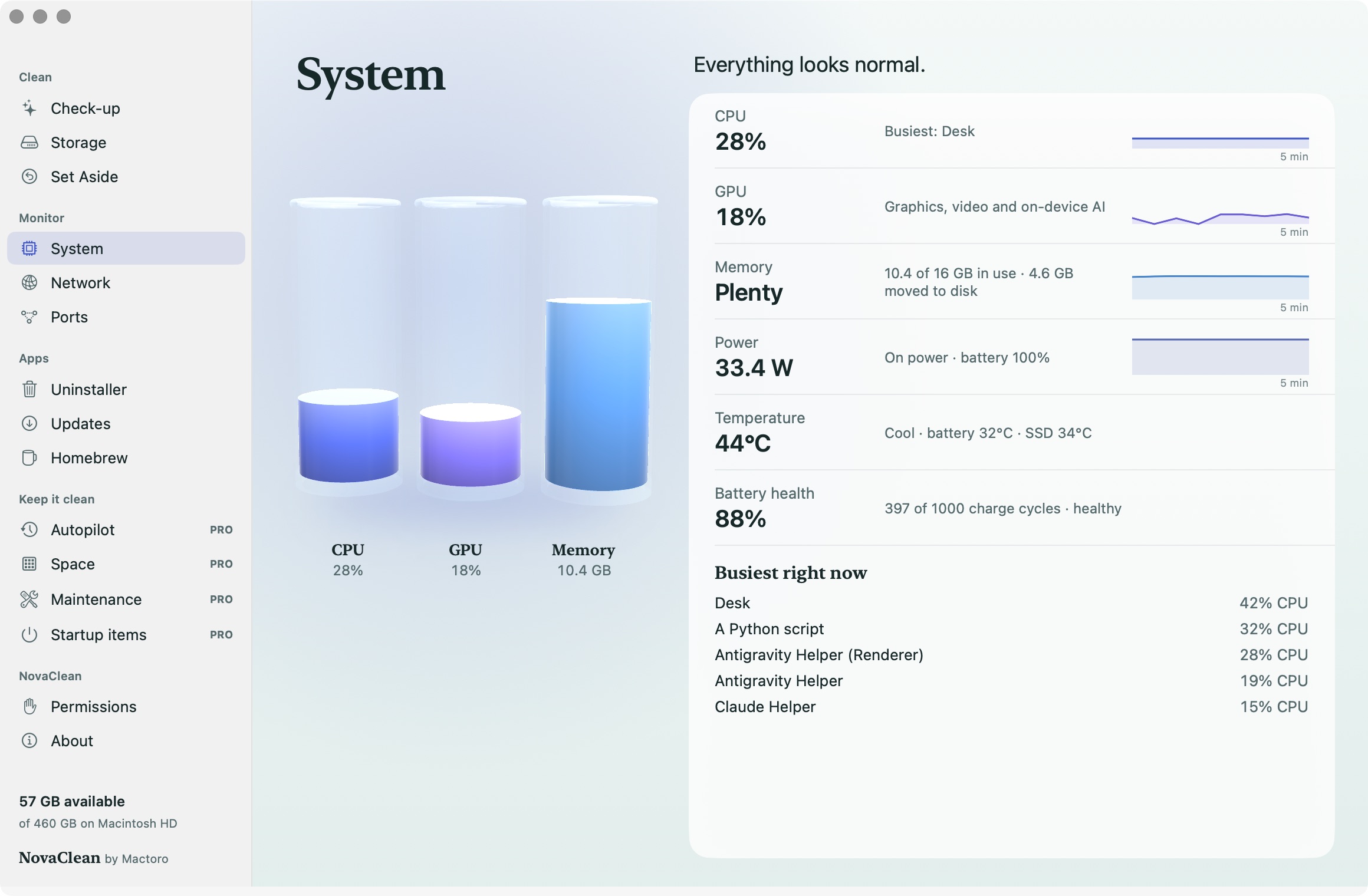
- System
- CPU, GPU, memory pressure, power in watts, chip and battery temperature, battery health, and which app is busy, in words you can act on.
- Network
- Live traffic, what this session has used, your Mac's address, and Apple's own speed test. Plus every program listening on a port, with Stop.
- Uninstaller
- Drop an app on it to see everything it keeps in your Library, then remove it all. Its files wait in Set Aside too.
- Updates
- Newer versions of the apps you have, from their own update feeds and from Homebrew.
- Homebrew
- Search, install and remove apps and tools without opening Terminal.
- Alerts
- A quiet notice when the disk runs low, the Mac gets hot or an app has been busy for minutes. Memory pressure is on the System screen, in words.
Nothing to scare you into cleaning.
No red alarms, no "junk" totals padded with your own files, and no trial that turns into a subscription. A few things can't be set aside, like an old simulator or an AI model. Those are never ticked for you, and NovaClean says so before you clean.
- Undo for 7 daysEverything it can set aside waits a week before the space comes back.
- Never ticked for youYour own files, old simulators and AI models wait for your say. Only things that rebuild themselves are ticked.
- Stays on your MacNo account and no tracking. It goes online only for update checks, the speed test and activating Pro.
- Asks only when neededFull Disk Access is optional, for the Trash and Safari. Everything else works without it.
Free cleans it. Pro keeps it clean.
Everything above is free. Pro is for the jobs you'd rather not think about again, paid for once.
NovaClean
Free
- Check-up with 7-day Undo, and AI coding tools
- Storage explained, System and Network
- Uninstaller, Updates and Homebrew
- Alerts and a menu bar glance
NovaClean Pro
$12once, no subscription
- Autopilot: safe caches cleared each week once they pass 2 GB, still with Undo
- Space: your biggest files, exact duplicates and a folder explorer
- Maintenance: free snapshot space, refresh DNS, rebuild Spotlight, clear browser history
- Startup items, with a notice when an app adds one, and leftovers offered when you remove an app
Already have OmniNotch? Your OmniNotch licence unlocks Pro.
Free, and ready in a minute.
NovaClean is a direct download for macOS 14 or later, not from the App Store: the App Store's rules would stop it from cleaning other apps' caches.
- Download NovaClean and open the file.
- Drag NovaClean to Applications, then open it.
- Press Run Check-up. Nothing moves until you choose, and what you clean waits 7 days in Set Aside.

NovaClean is free, made by Mactoro.
Mactoro is a small studio making apps for the Mac. We also make OmniNotch, which puts everything your Mac needs in the notch, NovaClean's Mac care included.